Complete end-to-end UX process: user interviews through final visual design
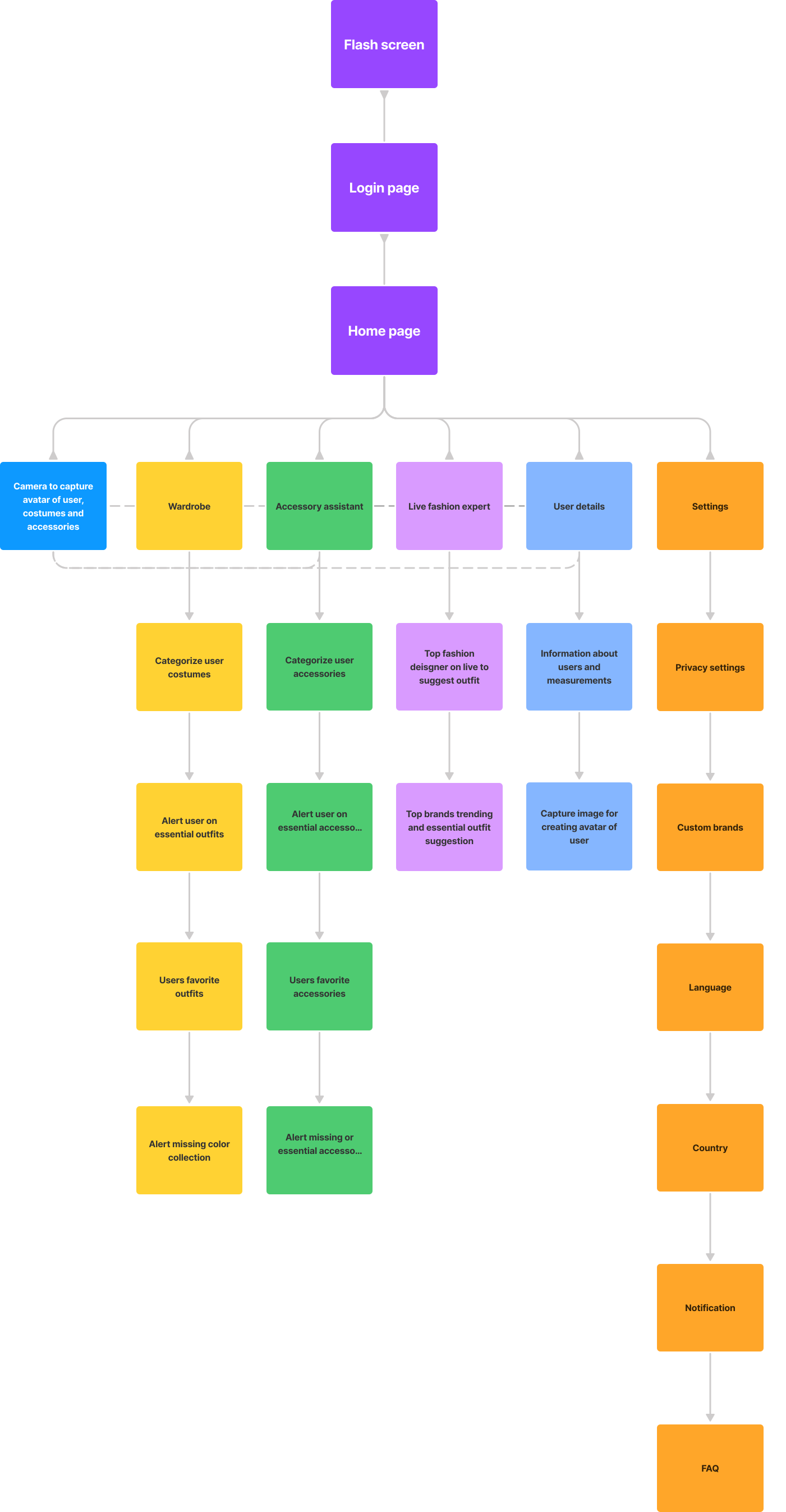
A working information architecture spanning onboarding, digital wardrobe, outfit planning, and settings
Overview
Create a Virtual Personal Stylist app that uses advanced algorithms and machine learning to provide personalized fashion advice and outfit recommendations to users. The app should consider the user's body type, fashion preferences, lifestyle, and existing wardrobe to provide tailored recommendations that are easy to implement. The project involved designing a Virtual Personal Stylist app that incorporates user profile creation, virtual wardrobe, machine learning algorithms, outfit planner, shopping recommendations, and fashion news and trends.
Problem
Many people struggle with finding the right clothes and putting together outfits that fit their personal style, body type, and lifestyle. This can lead to stress, wasted time, and poor self-confidence. Existing fashion apps and websites often provide generic advice that does not take into account individual preferences and needs.
My Role
UX Designer — worked with internal stakeholders such as designers, developers, and data scientists, and external stakeholders such as fashion designers, fashion brands, and tailors, to create the app end-to-end: research, information architecture, wireframes, style guide, and visual design.
Research
User interviews covered: What are your biggest challenges when it comes to fashion and dressing? How do you typically get fashion advice or inspiration? What features or functionalities would you like to see in a Virtual Personal Stylist app? What types of outfits are you typically looking for (e.g., workwear, casual, formal)?
Personas
The primary persona: Dhivya Srinivasan, 28, homemaker. Her goals: seeing outfit suggestions from her own wardrobe, getting fashion advice at the last minute before an event, and getting a good compliment on her dressing sense. Her pain points: being careful choosing an outfit for a close relative's marriage, always seeing dresses modeled on people who don't look like her, and forgetting what's already in her wardrobe until it's too late. Full empathy map and persona artifact below.
Journey
Mapped from "What dress do we have for this occasion?" through logging into the app and uploading wardrobe photos, scanning or uploading a photo to create a 3D/illustrative figure, and using machine learning to get a suggested outfit — ending on matching accessories being suggested automatically. Full journey map below.
Wireframes
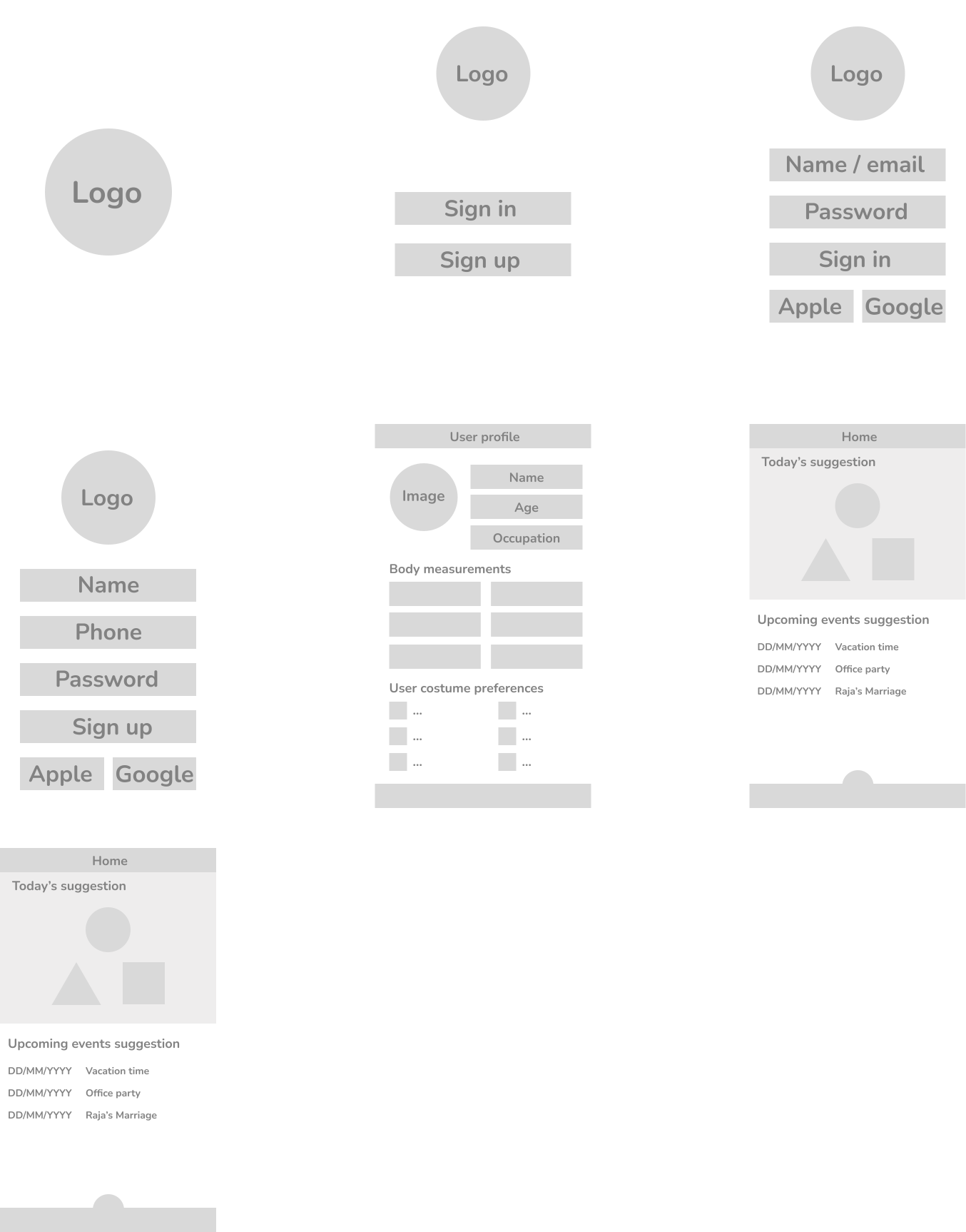
Low-fidelity wireframes focused on information architecture and user flow, covering onboarding, the digital wardrobe, outfit planning, and settings. Full wireframes and information architecture below.
Design Process
User interviews, empathy mapping, user personas, journey mapping, low-fidelity wireframes, style guide, then visual design.
UI Design
Style guide: Nunito typeface (Regular and Bold), a dark background (#1E232C) with white buttons (#FFFFFF), and a dedicated iconography set. Final visual design covered the flash screen, login/registration, home screen, digital wardrobe, outfit planning, and account settings.
Design Decisions
Let users upload photos of clothes they already own rather than only recommending new purchases — the research showed the core frustration was forgetting or misjudging what was already in the wardrobe, not a lack of shopping options.
Challenges
From the persona's own words: "We always see dresses in online store on some random models but not on us" — and — "We use to forget about our costume collection and in the last min confusion we may choose wrong attire." Designing for that meant the app had to work from the user's actual wardrobe and body, not a generic model.
Takeaways
A personal project carried through the full UX process — interviews, empathy mapping, personas, journey mapping, wireframes, a style guide, and final visual design — rather than stopping at a single artifact.
Application Screens